





Table of Contents
- Introduction
- Paper Types
- Binding Methods
- Finishing Options
- Design Considerations
- Preparing Your Print File
- Conclusion
Whether you’re developing a company brochure, a training manual, or an event program, the right choices in paper, binding, and finishing will directly affect the professional look and feel of your finished product. Far from a one-size-fits-all process, mastering booklet printing gives you the power to direct attention, elevate your brand, and deliver information effectively. For organizations and creators seeking to print a booklet that stands out, this guide covers all the key elements to consider. From paper texture to finishing touches, every choice tells your story visually and physically. The following guide outlines everything you need to know: different paper types for every project, popular binding styles, finishing options that enhance both durability and appearance, essential design considerations, and how to prepare print files for flawless production. A thoughtful approach will not only save time and reduce costs, but also ensure your booklet makes the intended impact. Whether you are creating promotional materials or crafting a product catalog, the stakes are high. Making the right decisions can help your project stand out from the competition, strengthening your message and building trust with your audience. These details, while technical, are the foundation of any compelling print piece. With this foundation, you’ll be better equipped to collaborate with print professionals and avoid costly mistakes. Learning the industry standards and best practices is crucial, whether you’re a seasoned marketer or printing a booklet for the first time.
ALSO READ: TributePrintedPics: Honoring Loved Ones with Custom Keepsakes
Paper Types
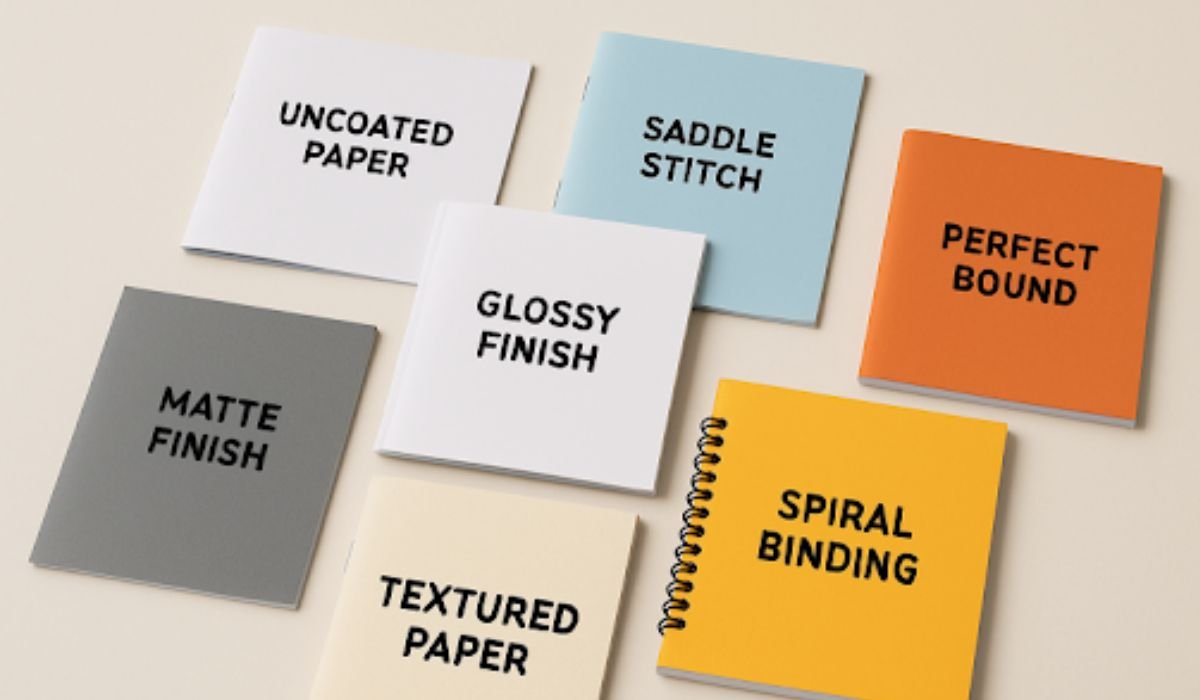
The sensory experience of a booklet begins with the choice of paper. Glossy papers provide a sheen that makes photographs and vibrant colors pop, which is ideal for marketing lookbooks or event programs. Matte finishes, on the other hand, deliver a non-reflective elegance suited to portfolios, literary booklets, and text-heavy publications where readability and minimal glare are essential. Uncoated papers offer a tactile, approachable feel and are typically used for workbooks or instructional manuals, as they’re easy to write on and absorb ink quickly. The weight of the paper affects durability; heavier paper feels more premium, but it can increase postage and binding costs.
- Glossy Paper: Perfect for eye-catching imagery, it is often used in photography books and catalogs.
- Matte Paper: Best for promotional materials or formal documents that prioritize readability and a subtle look.
- Uncoated Paper: Favored for hands-on guides, forms, or educational booklets where note-taking is essential.
Binding Methods
The way your booklet is bound significantly impacts its functionality and overall aesthetic. The simplest and most cost-effective method is saddle stitching, which staples folded sheets along the crease, accommodating up to about 64 pages. Perfect binding, the choice for softcover books and thick documents, uses adhesive to secure the pages into a squared spine, allowing for sleek, professional-looking covers and ample space for titles and branding. Spiral binding, using durable metal or plastic coils, enables booklets to lay completely flat when open—making it an ideal choice for instructional or reference materials.
- Saddle Stitching: The setup cost is low, with a fast turnaround, but it’s best suited for thinner booklets.
- Perfect Binding: Creates a polished outcome, suitable for corporate documents and multi-chapter manuals.
- Spiral Binding: Flexible, functional, and excellent for presentations or workbooks that need to stay open.
Finishing Options
The final finish can serve dual purposes: it both protects your booklet and showcases design elements. UV coating, often used for covers, imparts a high-gloss finish that safeguards against fingerprints and surface wear. Lamination, available in matte or gloss, adds a layer of plastic for added resilience and a premium feel. Spot varnish allows for selective gloss or matte highlights, helping call attention to important sections, logos, or images.
- UV Coating: Enhances color vibrancy for covers or interior pages that are subject to frequent handling.
- Lamination: Matte finishes lend subtlety and sophistication, while gloss emphasizes clarity and contrast in images.
- Spot Varnish: Ideal for custom branding, adding dimension and focus to your visuals.
Design Considerations
A successful booklet is as much about visual appeal as it is about the message. High-resolution images are crucial for achieving sharp, professional results. Uniform color palettes foster brand recognition and reinforce your theme, while well-chosen margins and line spacing prevent visual clutter—making your content accessible and easy to follow. Structure content logically, plan for callouts, and use typography that matches the mood of your booklet, keeping accessibility in mind for all readers.
- Use images at 300 DPI or higher to avoid pixelation in print.
- Stick to two or three fonts for a harmonious, organized look.
- Maintain brand consistency with color and logo placement.
- Balance white space and text to avoid overwhelming the reader.
Preparing Your Print File
Print-ready files ensure a seamless production process. Add a .125-inch bleed to all sides of your layout so that backgrounds, images, or colors extend to the edge after trimming. Use the CMYK color space rather than RGB, as commercial printers require this for accurate color translation. Always embed or outline fonts and make sure all images are linked correctly to prevent missing graphics. Submitting your file as a high-res PDF is generally preferred within the industry.
- Set bleeds and safety margins to account for trimming.
- Convert all files to CMYK color mode for optimal match.
- Embed fonts, graphics, and ensure resolution meets print standards for every image.
Careful attention to these details guarantees your project will not only impress but arrive on time and as expected, ready to support your next campaign, training, or event.
Conclusion
Producing a well-crafted booklet requires more than just great content—it’s about making deliberate choices in paper, binding, finishing, and design that align with your project’s purpose. Each detail contributes to the overall impression your booklet leaves on its audience. By applying industry best practices and preparing your print files carefully, you’ll ensure a smooth production process and a professional final result. Whether you’re printing marketing materials, training manuals, or event programs, thoughtful planning and attention to detail will help your booklet stand out and communicate your message with lasting impact.
YOU MAY ALSO LIKE: Workstation Technology Trends Shaping Creative Industries